ViralSplice vs Gling: Features Comparison for Short-Form Video Creators
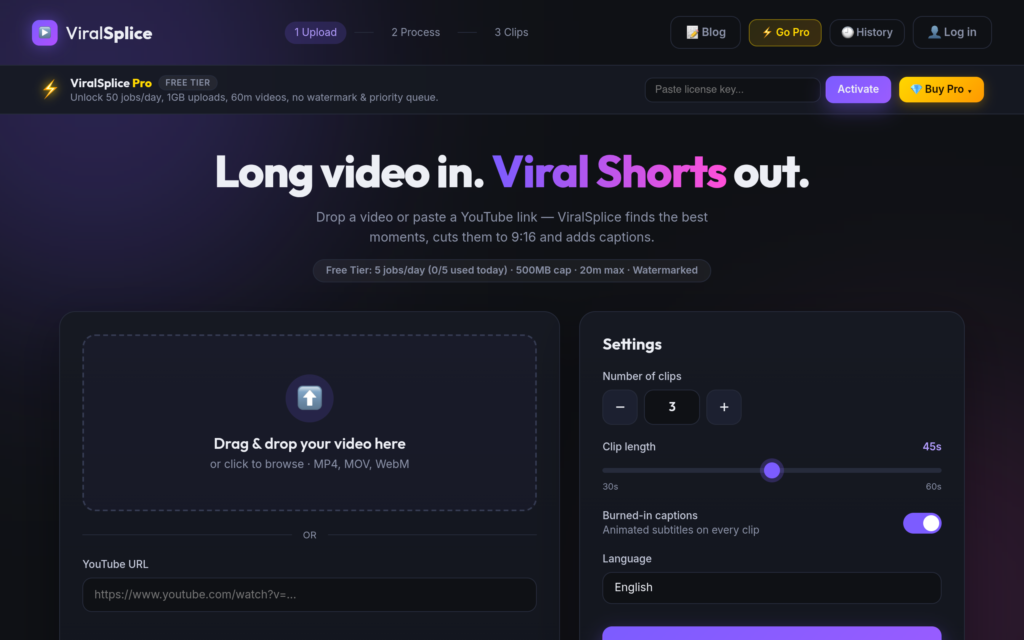
ViralSplice and Gling both use AI to cut the boring parts out of video editing, but they solve different problems. Gling is an AI editing assistant for long-form creators: it reads your transcript, removes bad takes, silences, and filler words, and hands you a clean edit to finish in your own editor. ViralSplice is built for short-form: it takes a long video or a YouTube link, finds the strongest moments, and cuts them into vertical 9:16 Shorts with burned-in captions, a virality score, and title ideas.
What each tool is for
Gling is aimed at YouTubers and podcasters who record long takes and want the rough cut done fast. You upload a recording, Gling transcribes it, and you delete words from the transcript to delete them from the video. Export as MP4 or MP3, or send the edit to Premiere Pro, Final Cut Pro, or DaVinci Resolve through XML.
ViralSplice is aimed at creators who want Shorts, Reels, and TikToks from content they already made. You drop in a long video or paste a public YouTube link, choose how many clips you want, and the tool picks the moments most likely to perform, reframes them to 9:16, and adds animated subtitles. No editor is needed afterwards.

Photo by Kekiwiyi / CC BY-SA 4.0
Finding clips vs cleaning a transcript
The core difference is what the AI decides for you. Gling cleans: it removes bad takes, auto removes silences and filler words, and enhances speech audio. It also adds AI B-rolls, auto framing, and multicam editing.
ViralSplice finds: it scores moments for virality, picks the clips, and suggests titles for each one. If your long video is already well edited, ViralSplice turns it into Shorts in minutes. If your raw recording is full of pauses and retakes, Gling is the tool that fixes that first.
Captions and exports
Both tools handle captions, but in different ways. Gling generates AI captions and subtitles that you can export as a separate SRT file. ViralSplice burns animated captions directly into every clip, so the Shorts make sense even when watched on mute. On exports, Gling offers MP4 and MP3 plus the XML route to a full editor, while ViralSplice exports finished vertical clips ready to post.
Pricing side by side
Gling lists four plans. Free costs $0 a month for 1 hour of AI edited media per month, with unlimited exports carrying a watermark. Plus costs $20 a month on monthly billing, or $10 a month paid annually, for 10 hours per month. Pro costs $40 a month, or $20 a month paid annually, for 30 hours. Elite costs $100 a month, or $50 a month paid annually, for 100 hours. Paid plans remove the watermark, and Pro and Elite add premium support.
Prices as listed on Gling pricing page, November 2026.
ViralSplice lists a free plan and one paid plan with three ways to pay. Free costs $0, with 5 jobs a day, a 500MB upload cap, videos up to 20 minutes, and watermarked clips. Pro costs $9 a month, $90 a year, or $120 once for lifetime access, and includes 50 jobs a day, 1GB uploads, videos up to 60 minutes, no watermark, and a priority queue. Prices confirmed on the ViralSplice homepage pricing section, November 2026.
Which tool fits which creator
Choose Gling if your main pain is the rough cut: long recordings, lots of pauses and retakes, multicam shoots, and a finish in Premiere or Resolve. Its transcript editing and silence removal save hours before you ever think about Shorts. Choose ViralSplice if your main goal is short-form output: you already have long videos or YouTube links, and you want a steady supply of captioned 9:16 clips with a virality score, without opening an editor.
Related reading
- ViralSplice vs Taja AI: Features Comparison for Short-Form Video Creators
- ViralSplice vs Wisecut: Features Comparison for Short-Form Video Creators
- ViralSplice vs CapCut: Features Comparison for Short-Form Video Creators
Try ViralSplice free: start at slice.coderao.com, turn a long video or YouTube link into your first captioned Shorts today, and switch to Pro at $9 a month, $90 a year, or $120 for lifetime access when you are ready to remove the watermark and raise your limits.